

Martin Companion Desktop Management and firmware upload tool for all Martin fixtures - Martin Professional
roll over the image to zoom in
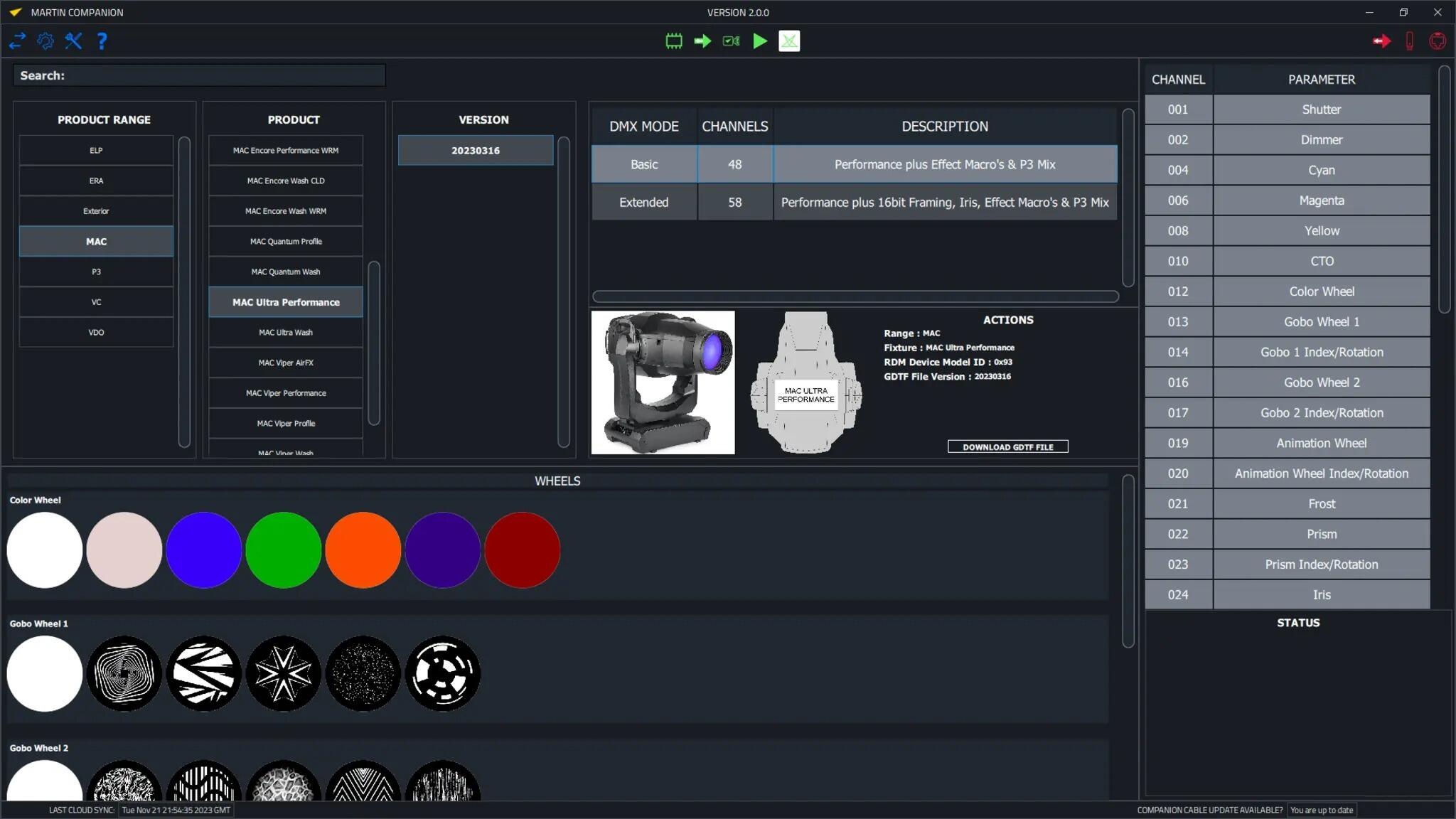
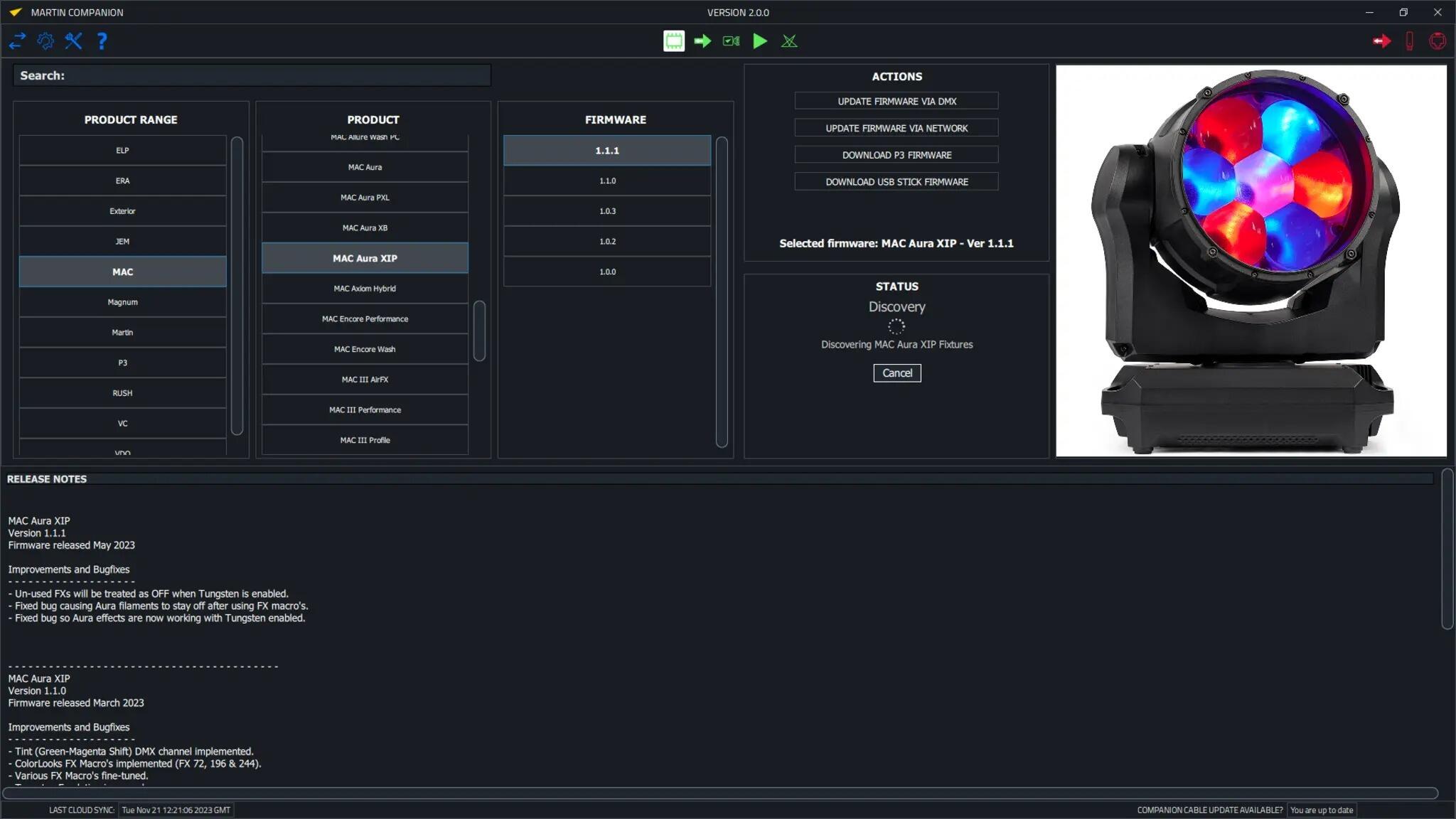
Martin Companion Desktop Management and firmware upload tool for all Martin fixtures
SKU:
MAR1730
Martin Professional
Companion Desktop is the fixture management, firmware upload and stand-alone programming tool compatible with all Martin fixtures for maximal ease of use. The Companion Desktop application synchronizes with Martin’s firmware library over the Internet, so gone are the days of browsing the support pages to find the latest fixture firmware.
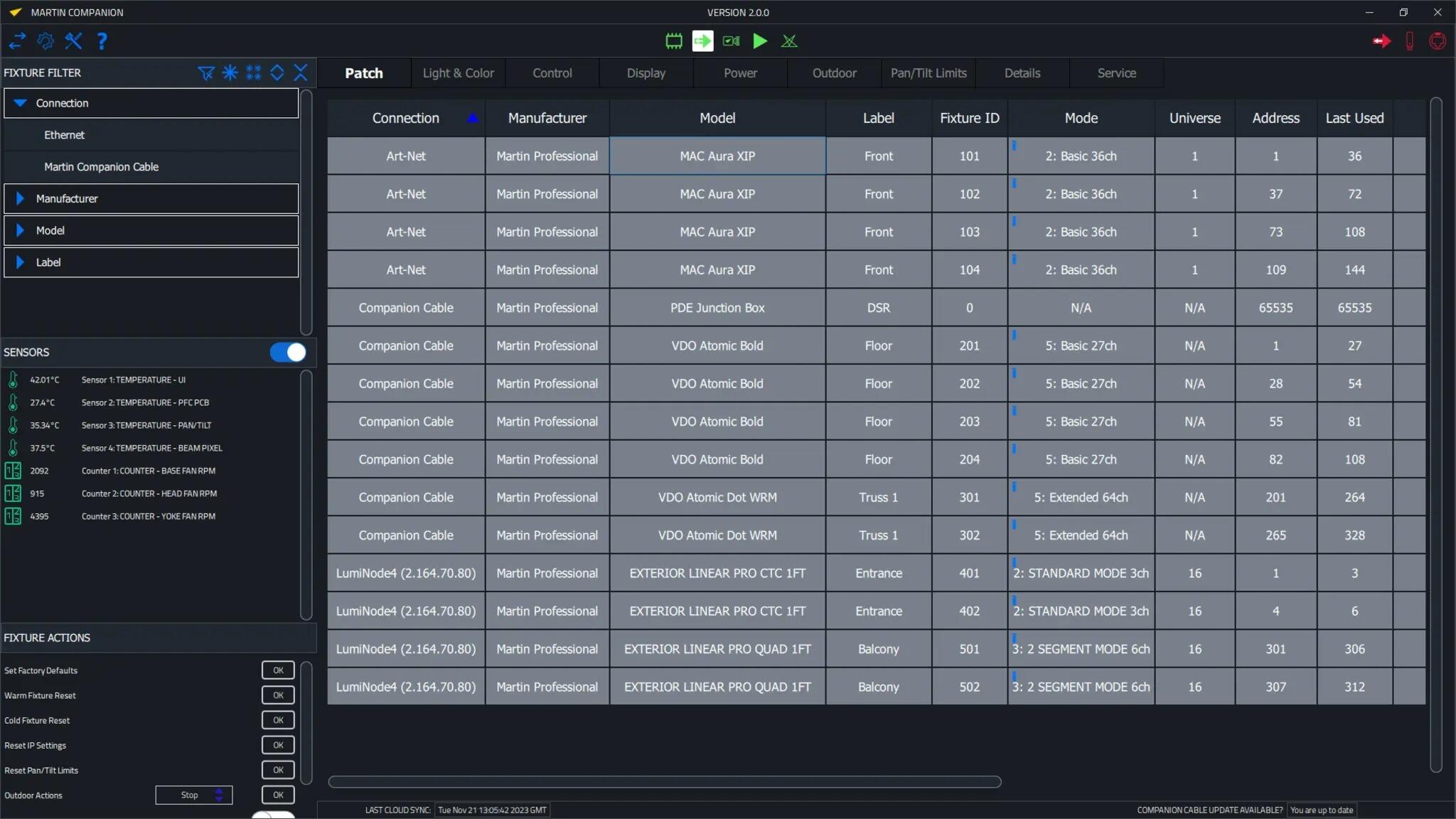
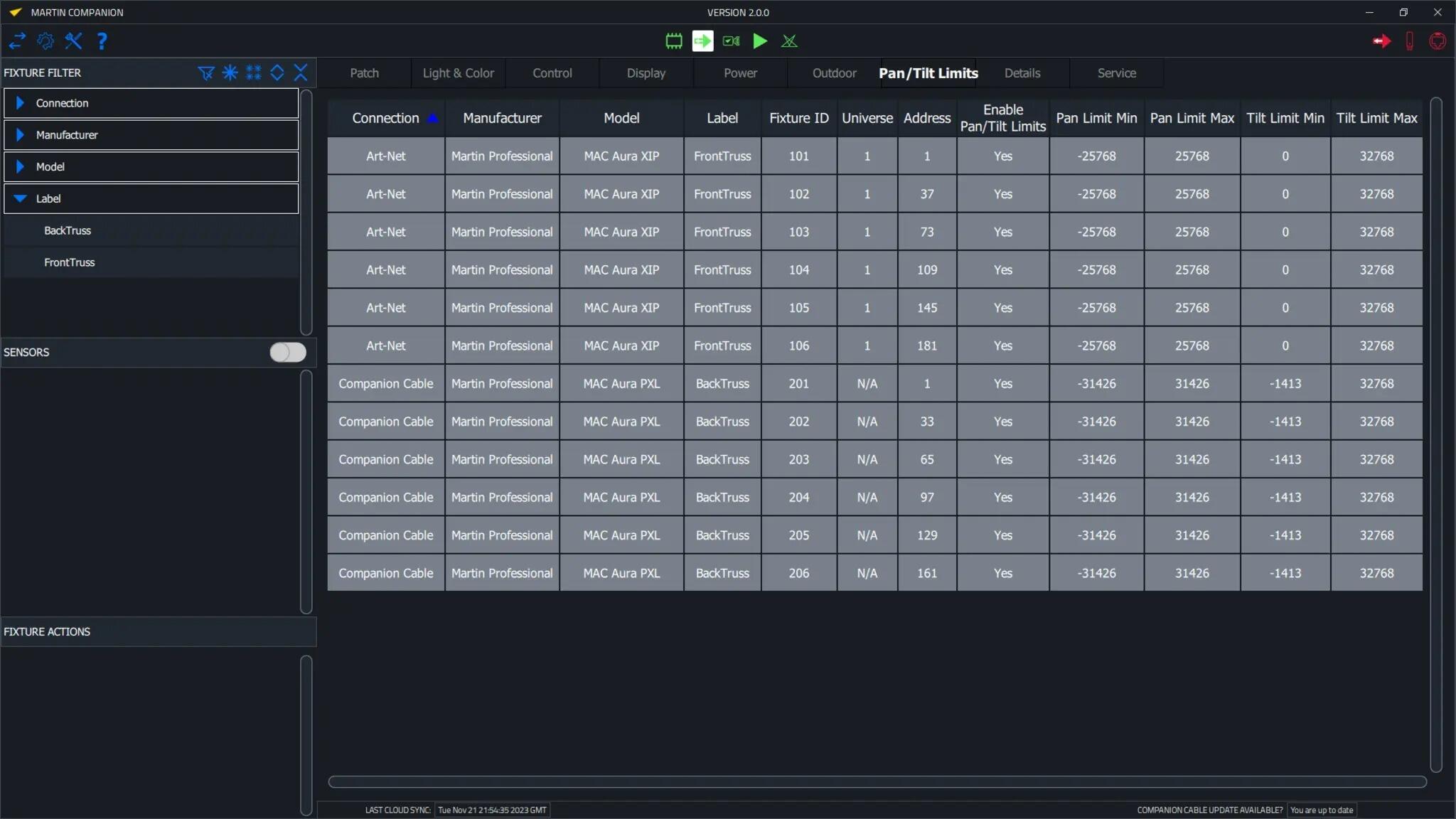
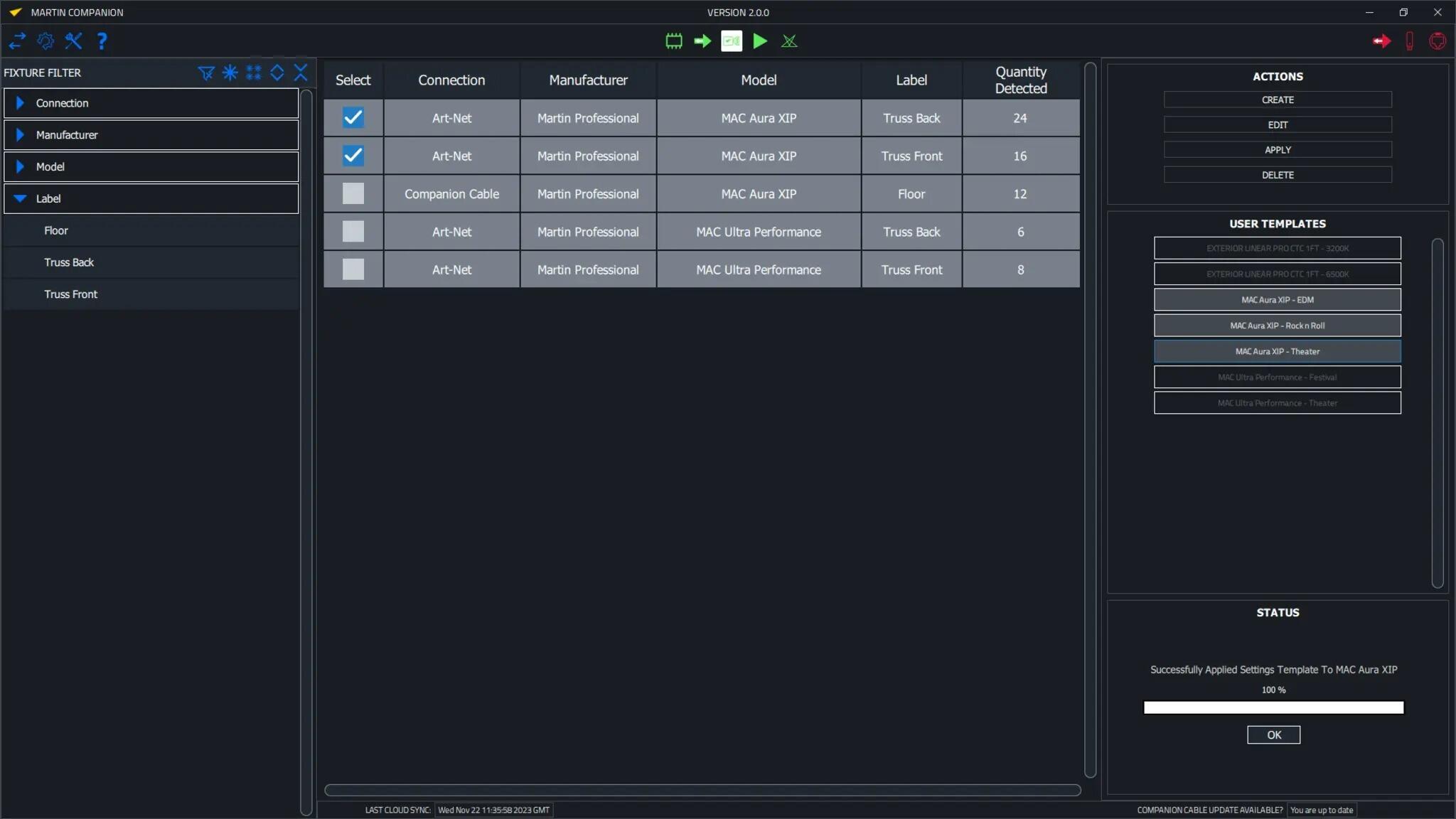
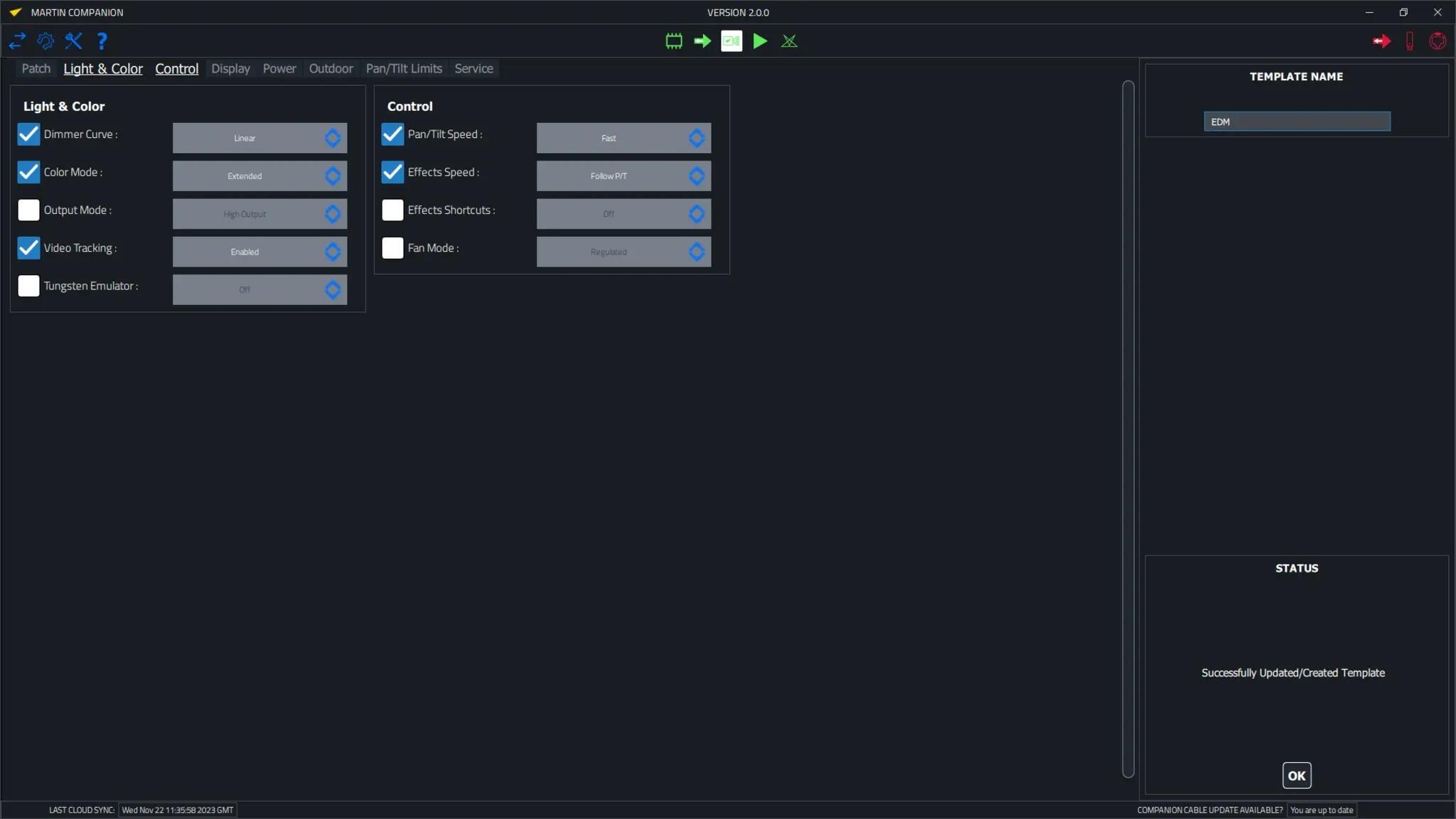
Advanced RDM integration allows all fixtures to be configured and patched remotely. To facilitate easy configuration of many fixtures in one go, a Fixture Configuration system allows an entire set of fixture settings to be pushed to all selected fixtures at once. The built-in Quick Addressing tool enables fixture addressing with just a single click per fixture.
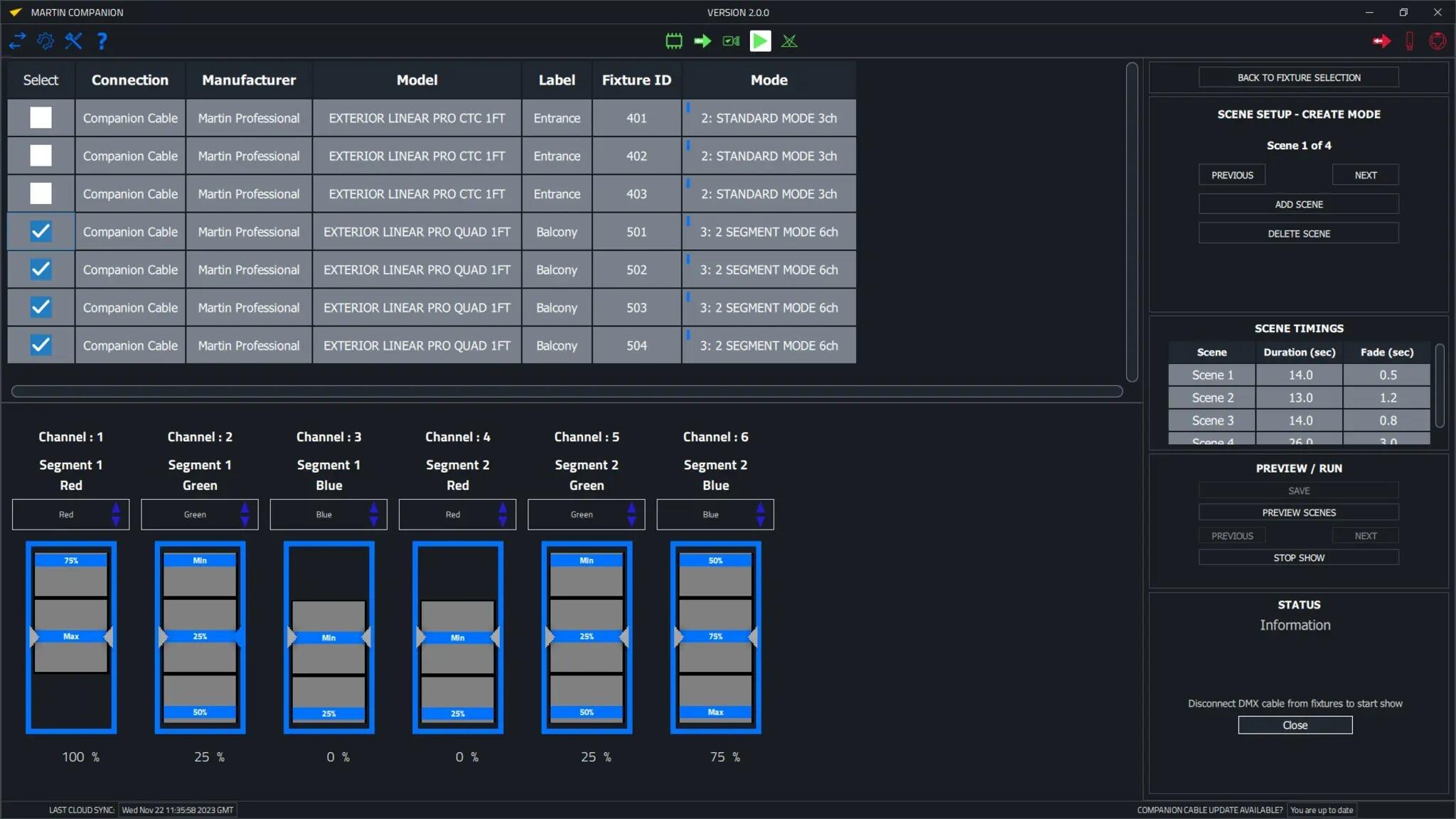
The built-in ergonomic stand-alone programming tool allows fixtures to be programmed with up to 20 scenes with individual hold and fade times. The fixtures can then run these fully synchronized, without any computer or controller connected. Stand-alone shows can also be stored, shared and re-used later.
Companion Desktop also automatically synchronizes with the Martin-made GDTF files on the GDTF share. Giving you access to all fixture details such as DMX Modes, DMX Channel Listings, Gobo Loadouts and more. GDTF files can be exported directly from Companion Desktop for use with any GDTF-compatible software.
Also check out Companion Mobile, which offers some of the same features for mobile iOS and Android devices.
£379.44
£446.40
- Product Features
- Compatible with all Martin fixture ranges including MAC, ERA, ELP, VDO & Exterior
- Automatic online synchronization of firmware library and GDTF library
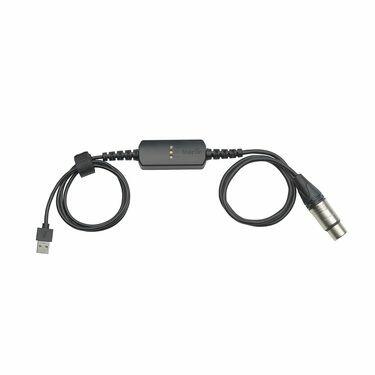
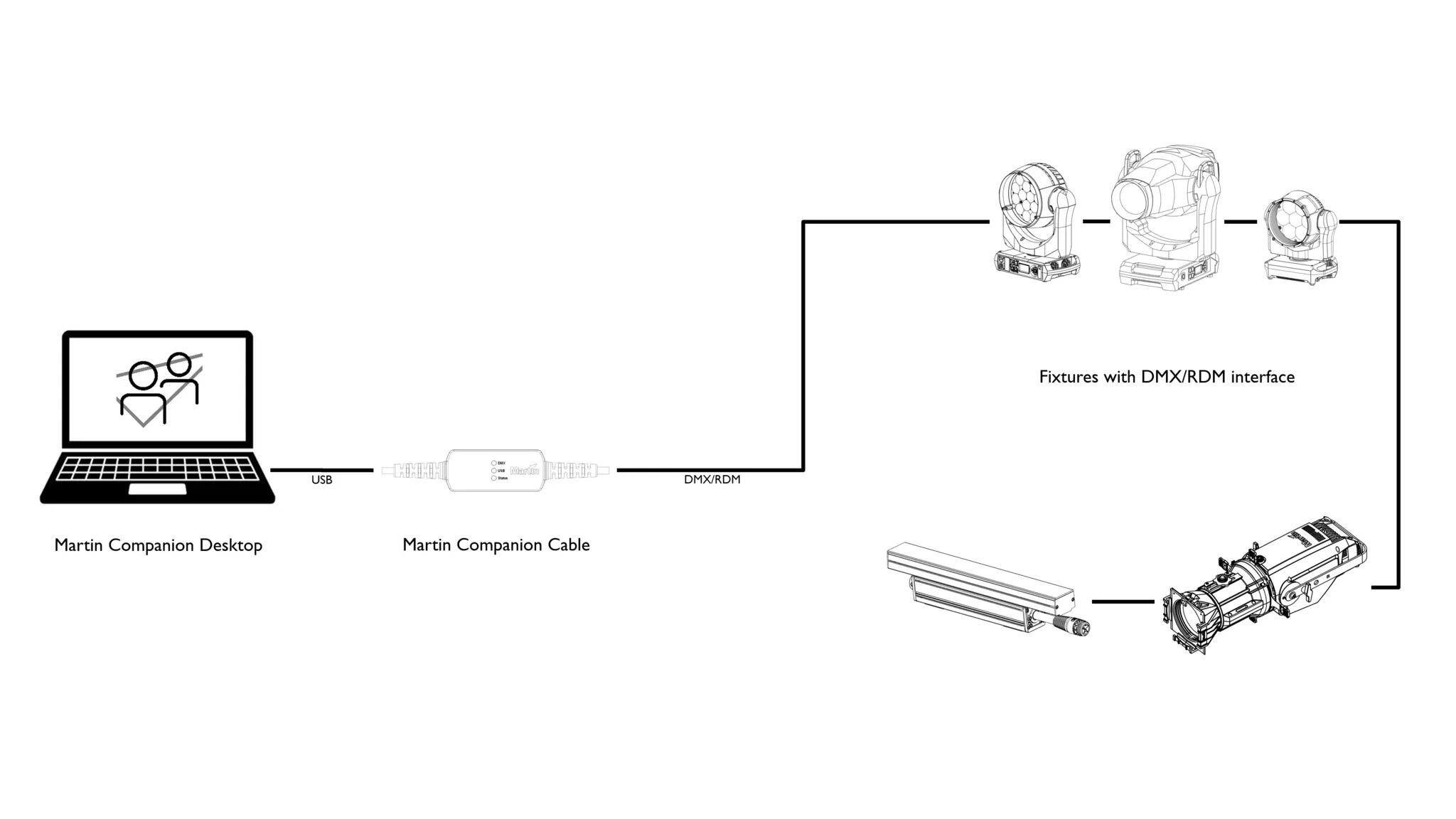
- Robust Martin Companion Cable to connect fixtures with computer using DMX
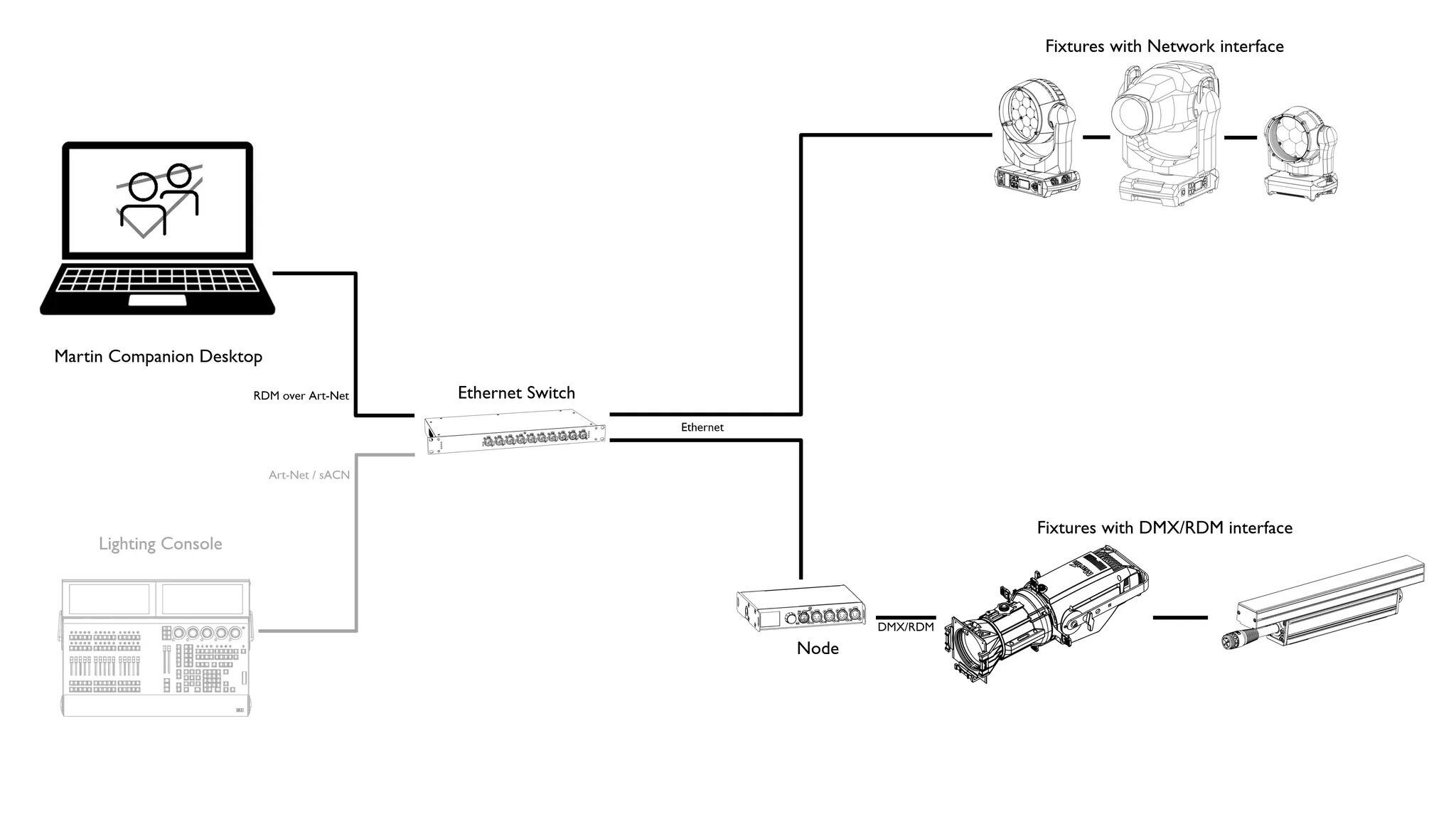
- Direct network connection to connect fixtures with computer using Art-Net / sACN
- Companion Desktop Application downloaded free of charge from Martin website
- Optional export for fixture update via USB memory device or P3 System Controller
- Optional export for Atmospheric Effects machine update via Epsilon 5 AVR Programmer
- RDM function allows every fixture setting to be consulted and changed remotely
- RDM export to CSV for easy collection of fixture data such as serial numbers, patch details, usage counters and more
- Fixture Configuration enables quick deployment of settings to multiple fixtures at once
- Quick Addressing allows for addressing of fixtures with just a single click per fixture
- Stand-Alone Programming of select Martin fixtures
- Save, Share and Re-Use Stand-Alone shows
- GDTF viewer and export tool
- Technical SpecificationSystem Requirements
Computer running Windows 10 or 11 (32 or 64-bit)
Intel Core i3 or better processor
4 GB RAM
1 GB available hard disk space
Display with Full HD or better resolution
USB 1.1 (or higher) port (USB Type A or USB Type C) for connection of Companion Cable
Ethernet port for RDM over Art-Net communication (if used)
Full administrator rights on PCSupported Fixture Communication ProtocolsRDM (via Companion Cable)
RDM over Art-Net (via standard Ethernet Port)
Multiple proprietary fixture firmware upload protocolsSupported RDM ParametersFixture Configuration
General: Manufacturer, Model, Label, Fixture ID
Patch: Mode, Universe, Address, Compact Mode Aura, Pan Invert, Tilt Invert, Pan/Tilt Swap, Pixel Flip Mode, IP Settings
UCM: SHoW ID, SHoW Key, Output Power, Antenna Type, Connection State, Module Manufacturer, Module Model, Module Firmware
Light & Color: Dimmer Curve, Color Mode, Output Mode, Manual CTC, Manual Tint, Keylight Calibration, Gobo CT Correction, Video Tracking, Strobe Behavior, Tungsten Emulation, High Refresh
Control: FollowSpot Mode, Pan/Tilt Speed, Effects Speed, Effects Shortcuts, Focus Tracking, Framing Mode, Hyper Zoom, Fan Mode, Extra Blackout
Display: Display Auto Off, Display Show Error, Display Rotation, Display Intensity, Display Contrast
Power: Power Limit, Hibernation, DMX Lost Mode, Standalone Mode, Reset via DMX, Lamp Off via DMX, Lamp On Mode, Lamp State, Power State, DC Output Control
Outdoor: Auto Empty Water
Pan/Tilt Limits: Enable Pan/Tilt Limits, Pan Limit Min, Pan Limit Max, Tilt Limit Min, Tilt Limit Max
Details: Serial Number, UID, MAC Address, Protocol Version, Device Model ID, Art-Net OEM Code, Product Category, Firmware Version, Sub-Device Count
Service: Status, Sensors Readout, Device Hours, Lamp Hours, Lamp Strikes, Power Cycles, Pixel QuantityFixture Action
Factory Defaults: Set Factory Defaults
Reset Fixture: Warm Reset, Cold Reset
Hibernation: Disable, Enable
IP Settings: Reset IP Settings
Pan/Tilt Limits: Reset Pan/Tilt Limits
Outdoor Actions: Stop, Empty Head, Dry Off, Safe Parking
Fan Clean: Stop, Start
SelfTest: Stop, Test All, Test Pan/Tilt, Test Effects, Test LEDs, Identify
Stand-Alone Programming
Proprietary set of Martin RDM commands* Not all parameters are supported by all fixtures
* Martin Companion uses a combination of standard RDM commands and Martin-specific RDM commandsSupported Fixtures - Firmware Upload*Firmware Upload via DMX Cable:
- All products from Martin MAC, ERA, ELP, RUSH and Exterior ranges
- Select products from Martin VDO range
Firmware Upload via Network:
- Select products from Martin MAC, VDO and Exterior ranges
Firmware Export and Upload into Fixture via USB stick:
- Select products from Martin MAC and ERA ranges
Firmware Export and Upload into Fixture via P3 System Controller:
- All products from Martin VDO and VC ranges
- Select products from Martin MAC and Exterior ranges
Firmware Export and Upload into Fixture via Epsilon 5 AVR Programmer:
- Atmospheric Effects in Martin JEM, Magnum and RUSH rangesSupported Fixtures - Fixture ConfigurationAny fixture supporting RDM and/or RDM over Art-Net
* Martin Companion uses a combination of standard RDM commands and Martin-specific RDM commands, which are not supported on non-Martin fixtures
Supported Fixtures - Fixture ActionAny fixture supporting RDM and/or RDM over Art-Net
* Martin Companion uses a combination of standard RDM commands and Martin-specific RDM commands, which are not supported on non-Martin fixtures
Supported Fixtures - Stand-Alone ProgrammingMartin Exterior Dot Pro series
Martin Exterior Linear Pro series
Martin Exterior Projection Pro series
Martin Exterior Wash Pro series
Martin VDO Sceptron XBSupported Fixtures - GDTF View & ExportAll Martin productsPhysical (Companion Cable)Length: 68 mm (2.7 in.)Width: 29 mm (1.2 in.)Height: 17 mm (0.7 in.)Weight: 99 g (3.5 oz.)Control/User Interface (Companion Cable)Configuration and management: Companion Desktop SoftwareDevice status: 3 x status LEDs (USB, DMX & Status)Construction (Companion Cable)Housing: PlasticColor: Matte BlackProtection rating: IP20Non-domestic use in dry location onlyConnections (Companion Cable)Computer Interface: USB 2.0 Type C (adapter to USB Type A included)DMX/RDM data: 5-pin locking XLRElectrical (Companion Cable)Power Rating: 5 VDC over USBMaximum current draw: 150 mAThermal (Companion Cable)Maximum ambient temperature (Ta max.): 50° C (122° F)Minimum ambient temperature (Ta min.): 0° C (32° F)Approvals (Companion Cable)EMC: CAN ICES-3 U(B) / NMB-3 (B)
Related Products...
Action Can AC-90 Multi-Purpose 5 litre Pack + Trigg
Action Can AC-90 Multi-Purpose 5 litre Pack + TriggAC-90: the flagship multi-purpose lubricant from Action Can have set the standard for the ‘all-in-o...
£40.00View details
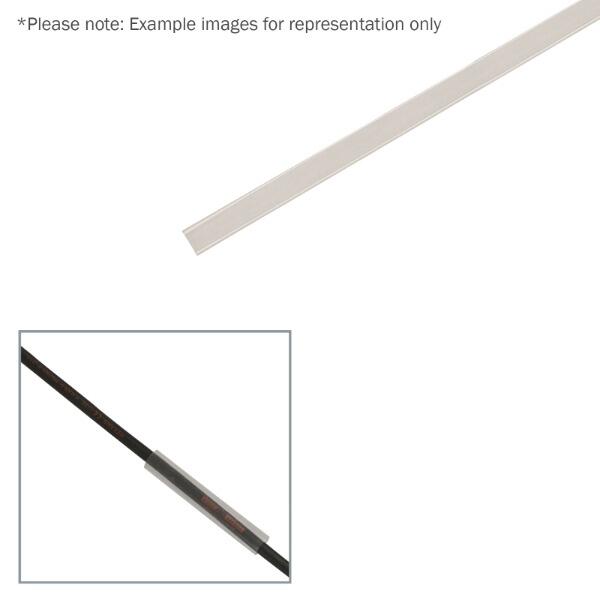
eLumen8 9.5mm (3/8'') Adhesive Lined Heatshrink Tubing, 3:1 Clear 1.2m
eLumen8 9.5mm (3/8'') Adhesive Lined Heatshrink Tubing, 3:1 Clear 1.2mMedium wall, adhesive lined general purpose tubing is specially designed for use...
£3.50View details

eLumen8 6.4mm (1/4'') Adhesive Lined Heatshrink Tubing, 3:1 Clear 1.2m
eLumen8 6.4mm (1/4'') Adhesive Lined Heatshrink Tubing, 3:1 Clear 1.2mMedium wall, adhesive lined general purpose tubing is specially designed for use...
£2.45View details

Mercury Aluminium Craft Knife with Snap-Off Blade - 710.231UK
Mercury Aluminium Craft Knife with Snap-Off Blade - 710.231UKA practical, retractable heavy duty craft knife with tough aluminium alloy handle and thu...
£2.93£4.00View details

Mercury Magnetic LED Pen Light
Mercury Magnetic LED Pen LightA compact, super bright pen light that fits into your pocket. Features a magnetic pocket clip to stick to metals keepin...
£2.93£4.00View details
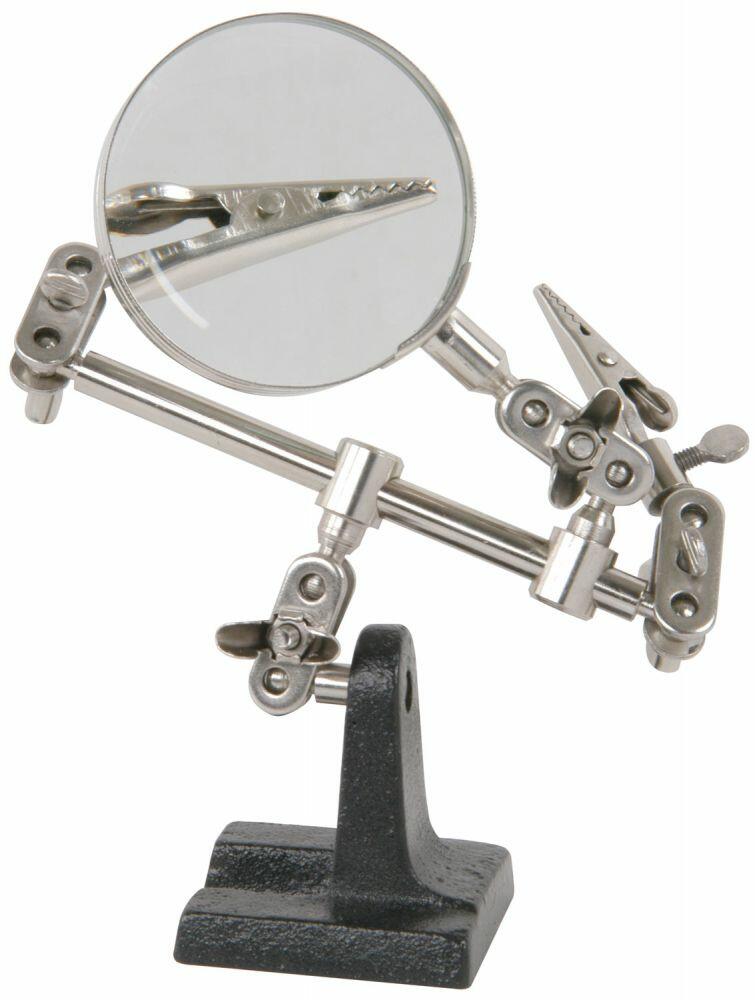
Mercury MAG01 Helping Hand with Magnifier - 710.165UK
Mercury MAG01 Helping Hand with Magnifier - 710.165UKA convenient and useful tool for giving extra support whilst performing precision soldering jobs ...
£4.80£6.00View details

Action Can CD-90 Chain & Drive 500ml
CD-90 is the ideal lubricant for all types of chain and drive components. Upon application CD-90 penetrates the chain linkage then thickens to provide...
£9.23£12.00View details

Mercury Desoldering pump, all metal body, professional version - 700.990UK
Mercury Desoldering pump, all metal body, professional version - 700.990UKA good quality range of desoldering pumps for fast and efficient removal of ...
£4.06£4.99View details
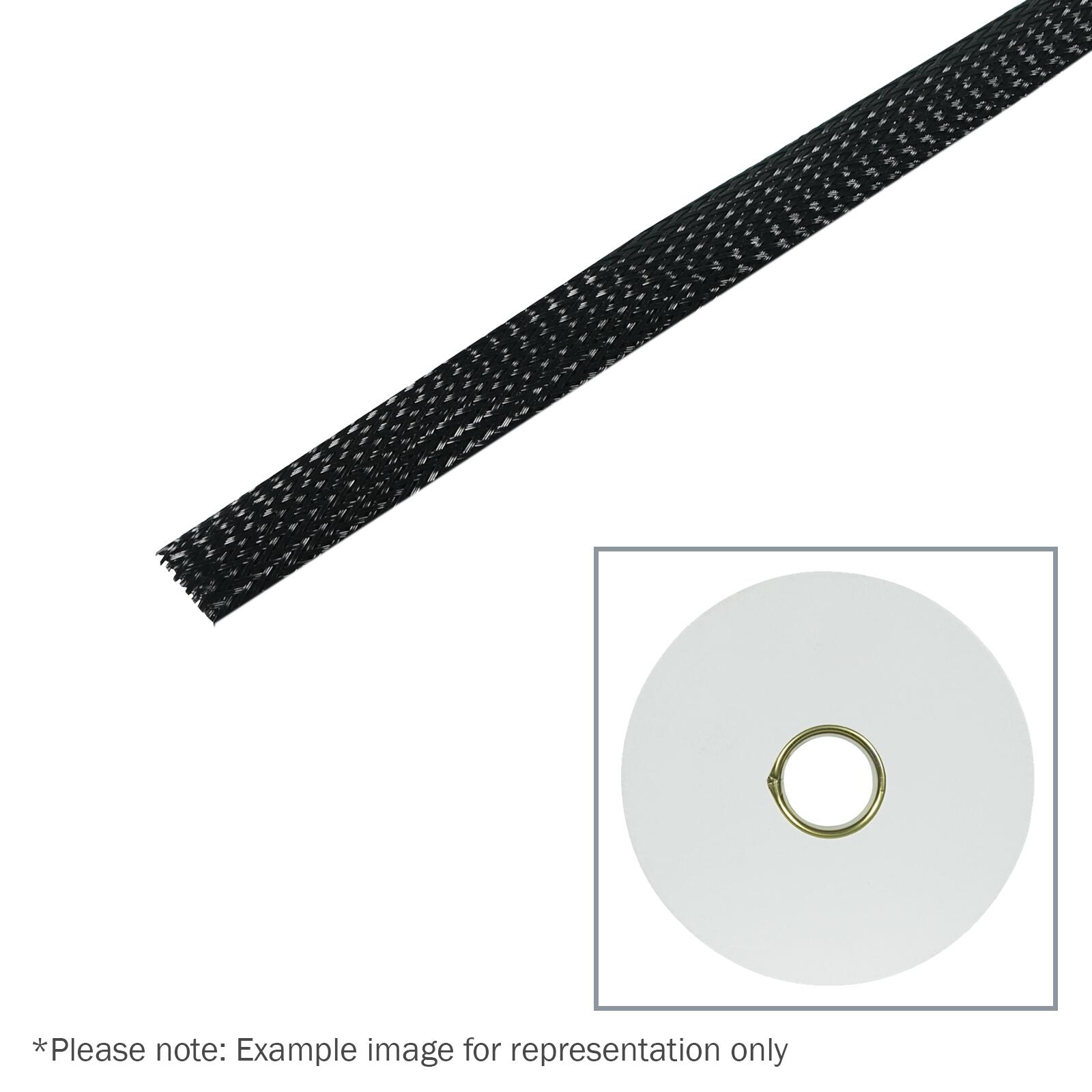
Elumen8 100m Polyester Expandable Braided Sleeving, 12mm
Polyester Expandable Braided Sleeving, 12mm
£43.93£46.25View details

Eagle Professional Soldering Station with Temperature Control and Digital Display, Y061
Eagle Professional Soldering Station with Temperature Control and Digital Display, Y061 A professional quality soldering station with full temperatur...
£72.54£96.72View details

Eagle 8W Battery Powered Soldering Iron, Y061RL
Eagle 8W Battery Powered Soldering Iron, Y061RL 8W Battery Powered Soldering IronPowered by 3 x AA Batteries (Not Included)15 Second Quick Heat Up Tim...
£7.56£10.08View details

eLumen8 9.5mm (3/8'') Heatshrink Tubing, 2:1 Clear, 100m
The heat shrink tubing is manufactured with modified radiation cross-linked polyolefin. The specially designed halogen-free formulation makes the tubi...
£26.95View details

Kontakt Chemie Label Off 50 100ml
Removing self-adhesive labels is always a time-consuming task. If the mechanical removal of labels might cause scratches, LABEL OFF 50 is the ideal so...
£6.00View details

Mercury C2001 F connector spanner - 120.918UK
Mercury C2001 F connector spanner - 120.918UKHeavy duty F-connector spanner that allows tightening and loosening of F-connectors with one end, and hol...
£7.43£9.00View details

WD-40 Multi-Use Product Original 100ml
The original formula WD-40 Multi-Use Product in a spray can. Boasts over 2,000 uses, including rust and corrosion protection for metal; loosening stuc...
£2.93£4.00View details

Mercury HL3C 3W CREE Headlight - 410.337UK
Mercury HL3C 3W CREE Headlight - 410.337UKThis professional heavy duty 3W CREE LED headlight has an anodised black aluminium body and features a high ...
£14.63£18.00View details

WD-40 Specialist White Lithium Grease 400ml
High performance white lithium grease from WD-40's Specialist range. Comes in a 400ml spray can with Smart Straw for precise or wide dispersion, and 3...
£8.56£10.99View details
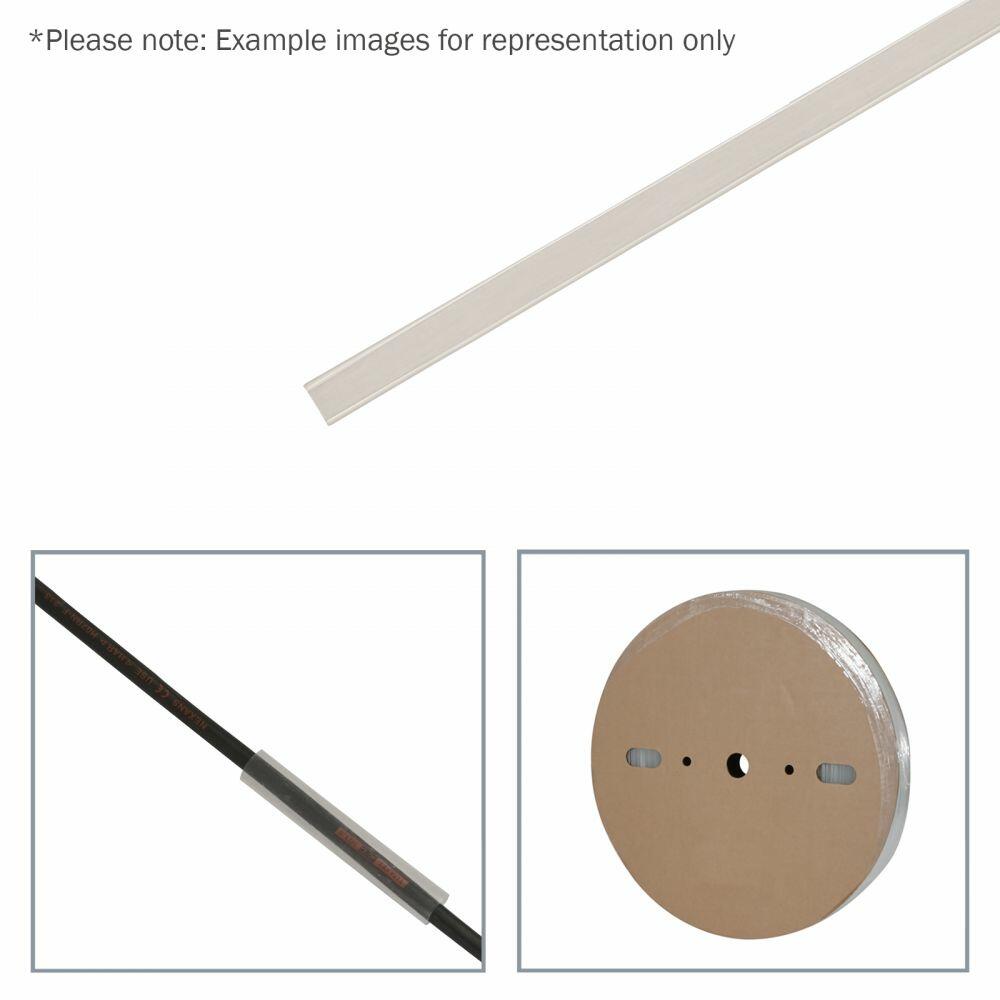
eLumen8 12.7mm (1/2'') Heatshrink Tubing, 2:1 Clear, 100m
The heat shrink tubing is manufactured with modified radiation cross-linked polyolefin. The specially designed halogen-free formulation makes the tubi...
£36.06£37.96View details

Mercury Anti-static wrist band - 710.131UK
This band will protect against static electricity whilst working with sensitive components. Supplied with a removable coiled lead and crocodile clip.W...
£2.99View details

Mercury Rechargeable LED torch & lamp
Mercury Rechargeable LED torch & lampRugged metal bodied, super bright USB Rechargeable COB LED Flashlight with 7 lighting modes. Useful for hiking, ...
£14.86£19.99View details